Research
Multi-step AI research workspace: gather sources, run deep research, read cited reports, and save to the library. Unlike plain chat, Research plans, searches, reads many sources, then synthesizes — for questions whose answers scatter across many papers.
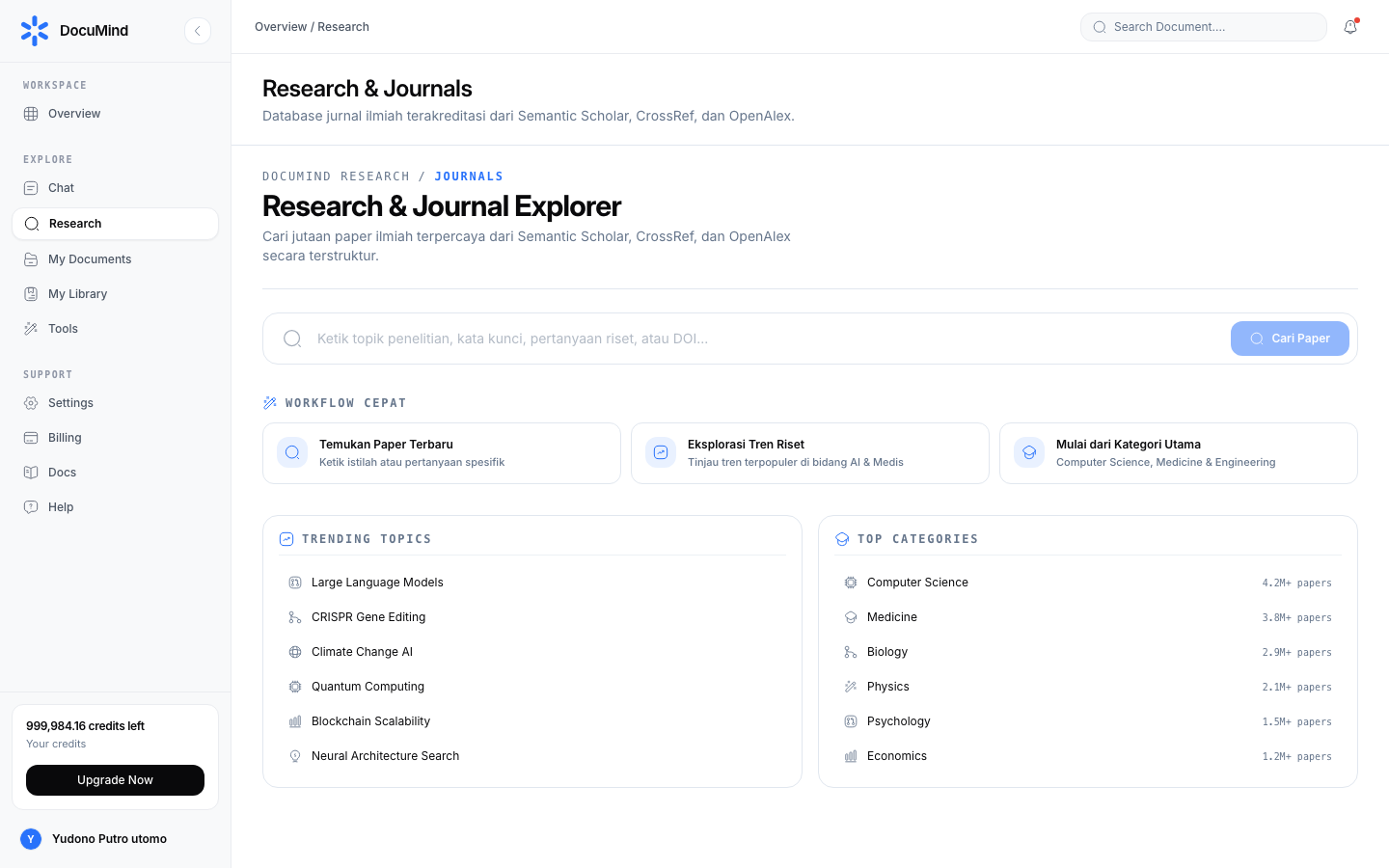
URL: https://www.documind.id/dashboard/research
Quick Summary
| Aspect | Details |
|---|---|
| Pages | /dashboard/research (workspace) and /dashboard/research/:id (result detail) |
| Input | Free-form research topic (e.g. machine learning) |
| Process | Multi-step agent: search → read → synthesize, with per-step timed chain-of-thought |
| Output | Structured report with numbered citations + source list |
| Follow-ups | Save to library, attach to chat, download PDF |
| Cost | Spends credits (track in Billing) |
Research Workspace
URL: https://www.documind.id/dashboard/research
Workspace parts:
- Topic field — write the research question as specifically as possible. "Microlearning effects on employee retention" beats generic "microlearning".
- Research button — starts the agent. Do not close the tab while progress runs.
- Multi-step progress panel — timed chain-of-thought per step (search → read → synthesize). Per-step durations compute live, like Agent Task Detail.
- Provisional source list — papers the agent finds across indexes (OpenAlex / Crossref / arXiv / EuropePMC / OpenAIRE / DOAJ / Semantic Scholar).
- Draft report — synthesis growing as steps complete; the final version locks when the run finishes.
Running research:
- Enter a research topic (e.g.
machine learning) and click Research. - The agent runs multi-step research (search → read → synthesize) with timed chain-of-thought per step.
- Read the draft while waiting; note sources that look relevant.
- When finished, read the full final report, then click Save to Library to keep sources as full-content SavedSources (My Library).
Research Result Detail
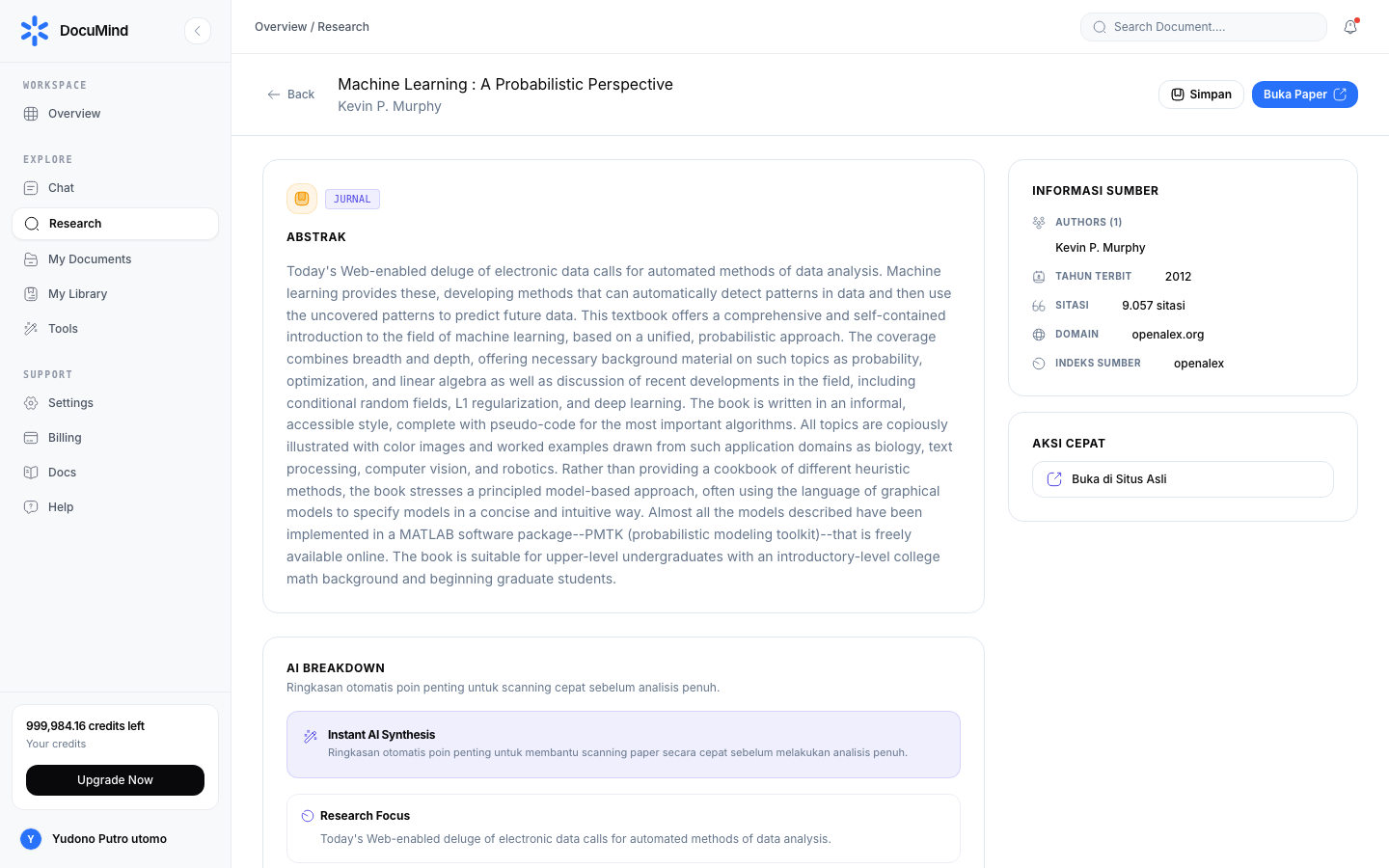
URL: https://www.documind.id/dashboard/research/:id
Detail-page parts:
- Full report — title, authors, year, venue, abstract, and numbered citations clickable to DOI/publishers.
- Metadata panel — citation counts, open-access PDF (when available), and index sources (OpenAlex / Crossref / arXiv / EuropePMC / OpenAIRE / DOAJ / Semantic Scholar).
- Action buttons:
- Save to My Library — archive sources as SavedSources (My Library).
- Attach to Chat — bring the report/sources into AI Chat for follow-up Q&A ("explain this report's methodology").
- Download PDF — keep the report for archives/offline; combine several with Merge PDF if needed.
- Citation navigation — each citation number links to its source entry; click to verify before citing.
Real-World Flows
Thesis proposal (1–2 hrs): research "factors affecting e-learning adoption in Indonesia" → read 2 reports → save 8 sources to My Library → attach the report to AI Chat → ask for "proposal outline + comparison table of 8 sources" → download the table → write the proposal with verified citations.
Quick literature scan (45 min): research a narrow topic → take 5 newest sources (top up year filters in Find Journal) → read abstracts + citations → decide what to read fully.
Topic & Quality Tips
- Specify population, intervention, context. "X for Y in Z" yields far more useful reports than one keyword.
- Request explicit bounds. "Focus 2020–2026, prioritize Scopus-indexed journals" steers the agent to the right sources.
- Run once, reuse many times. Save report + sources to the library; explore further via chat, not re-runs (saves credits).
- Verify before citing. Open the DOI/original source for claims entering official work — the AI report is a map, not the destination.
- Top up manually when needed. Search additions in Find Journal for papers the run missed.
Limits
- Coverage depends on available indexes and open-access reach; paywalled papers may expose only metadata/abstracts.
- Reports are only as good as topics — generic topics produce generic reports.
- Costs credits per run; plan 1–2 solid runs over 5 tentative ones.
Research FAQ
Research vs Find Journal — what is the difference? Find Journal finds papers manually one by one; Research runs an agent that searches, reads, and synthesizes a report.
Can reports attach to chat? Yes — Attach to Chat brings reports/sources into AI Chat for deeper dives.
Are sources auto-saved? No. Click Save to Library to archive as SavedSources in My Library.
Why do some sources show abstracts only? Full access is paywalled/limited; metadata plus abstracts still help reading selection.
Does research spend credits? Yes. Track in Billing and save results to avoid repeats.
Important Links
- Overview · Authentication · Account · Billing · Landing Page
- Dashboard · AI Chat · Research · Find Journal
- Library · My Library · Tools
Keywords: documind research, ai research, automatic literature review, doi citations, journal synthesis.