Billing
Track remaining AI credits, usage history, and package top-ups. This is your workspace finance page: every model answer is logged here per feature, while the 152 standard Tools deduct nothing.
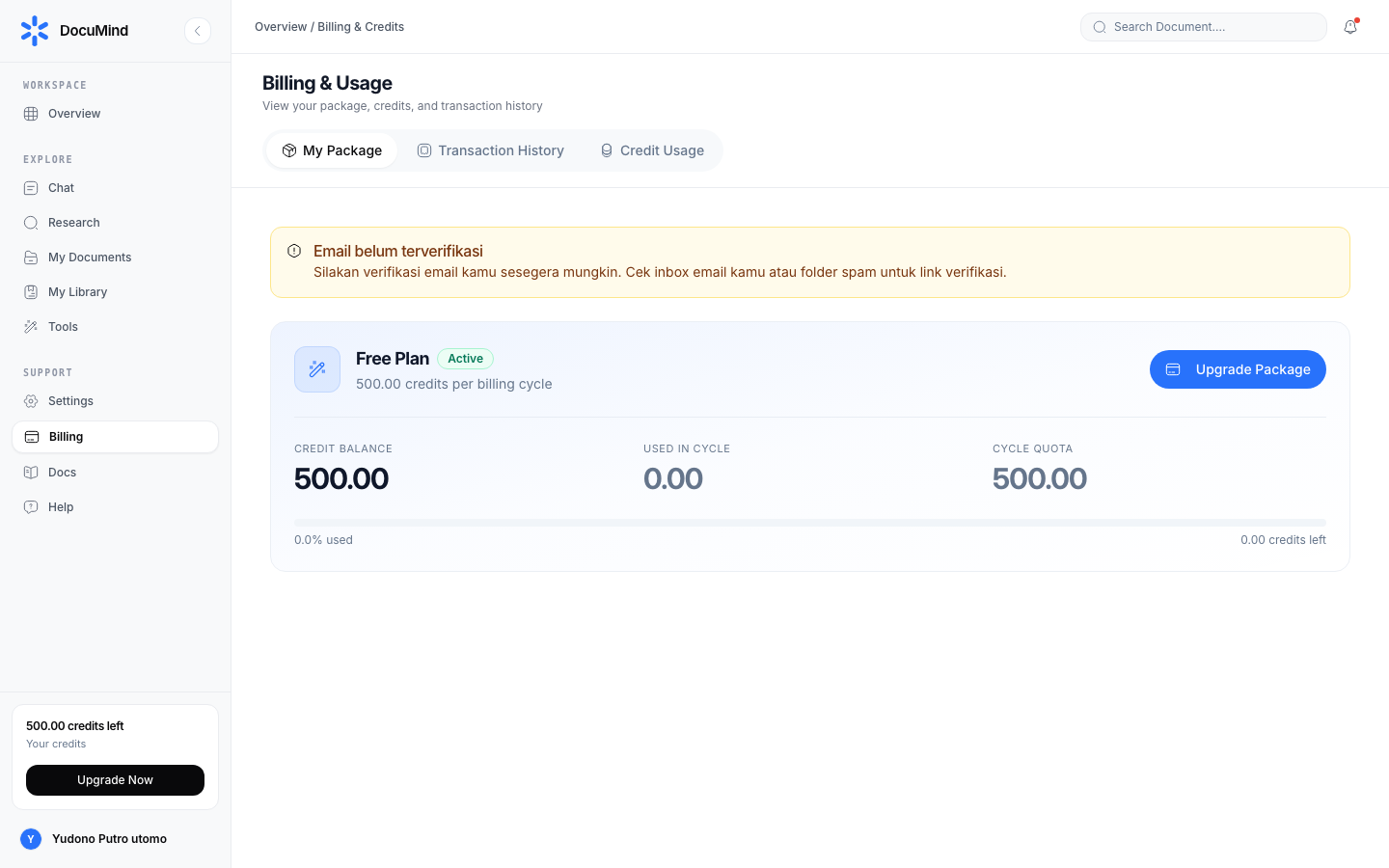
URL: https://www.documind.id/dashboard/billing
Quick Summary
| Aspect | Details |
|---|---|
| Page | /dashboard/billing |
| Spends credits | Document chat and AI research (per model call/token) |
| Never spends credits | 152 standard Tools (convert/count/format/validate) |
| Main actions | View balance, read history, top up |
Billing Page Parts
- Remaining Credits card — remaining figure (e.g.
999,984.16) of total (e.g.1,000.00) plus a real-time usage progress bar. The first indicator to check before a big research run. - Usage History — table of date, feature (chat, research), and credits spent per row. Use it to audit: which feature burned most this week.
- Top-Up area — pick a package, pay via payment gateway, credits land automatically after verification.
- Per-Feature summary — aggregated usage per module (chat vs research) for cost-control decisions.
How to Read & Top Up
- Open
https://www.documind.id/dashboard/billing. - Note Remaining Credits and the date; compare against the week's workload.
- Open Usage history — sort largest-first to find waste (usually repeated multi-step research or giant document attachments in AI Chat).
- To add more: pick a package in the top-up area, complete gateway payment, return and confirm the balance grew.
- Keep payment proof until credits show; if delayed, contact support via Dashboard → Support with the transaction reference.
Credit-Saving Strategy
- Use free Tools for deterministic work. Convert/count/format/validate (e.g. Merge PDF, Word Counter, JSON Formatter, Compress PDF) spend nothing — never use AI for that.
- Narrow context before asking AI. Attach only relevant pages/chapters, not a 500-page archive. Ask specifically in AI Chat, not "explain everything".
- Never repeat identical research. Save Research reports to My Library once, then re-read from there — do not re-run the same topic.
- Ask for one-shot output. In chat, specify the output format up front (full document, comparison table, or slides) to avoid costly iterations. Techniques: AI Chat.
- Weekly 5-minute audit of the history table: if one feature spikes, check for sessions/chats to archive or stop.
Example Scenarios
- Thesis student: 3 topic researches early in the month burn the largest share; afterwards only light chat Q&A + free tools for formatting. Check history every Sunday night.
- Admin staff: nearly all work (PDF merging, text extraction via PDF to Text, word counts) uses free tools — credits only for occasional summaries.
Billing FAQ
What spends credits? Every AI model call: document chat and multi-step research. Amount follows processed tokens.
Do Tools spend credits? No. All 152 standard tools (Image, PDF, Text, Developer, CSV, SEO, Document, Archive, Utilities) are free and absent from credit history.
How do I top up? Pick a package on the billing page, pay via the available gateway, credits land automatically after verification.
Payment succeeded but no credits yet? Wait a few minutes and refresh. If still missing past a reasonable window, contact support with the transaction reference.
Can I see per-feature usage? Yes. The history table logs date, feature, and credits per row — enough for audits and team cost allocation.
Do credits expire? Per the package terms in force when you top up. Read the package terms on the billing page before paying.
Important Links
- Overview · Authentication · Account · Billing · Landing Page
- Dashboard · AI Chat · Research · Find Journal
- Library · My Library · Tools
Keywords: documind billing, documind ai credits, top up credits, usage history, documind package pricing.