Overview
Welcome to the official DocuMind documentation — the AI platform for dissecting, analyzing, summarizing, and extracting insights from documents (PDF, Word, Excel, journals, business reports) instantly and accurately. Every page explains what a feature does, its parts, step-by-step usage, real examples, limits, tips, and FAQs.
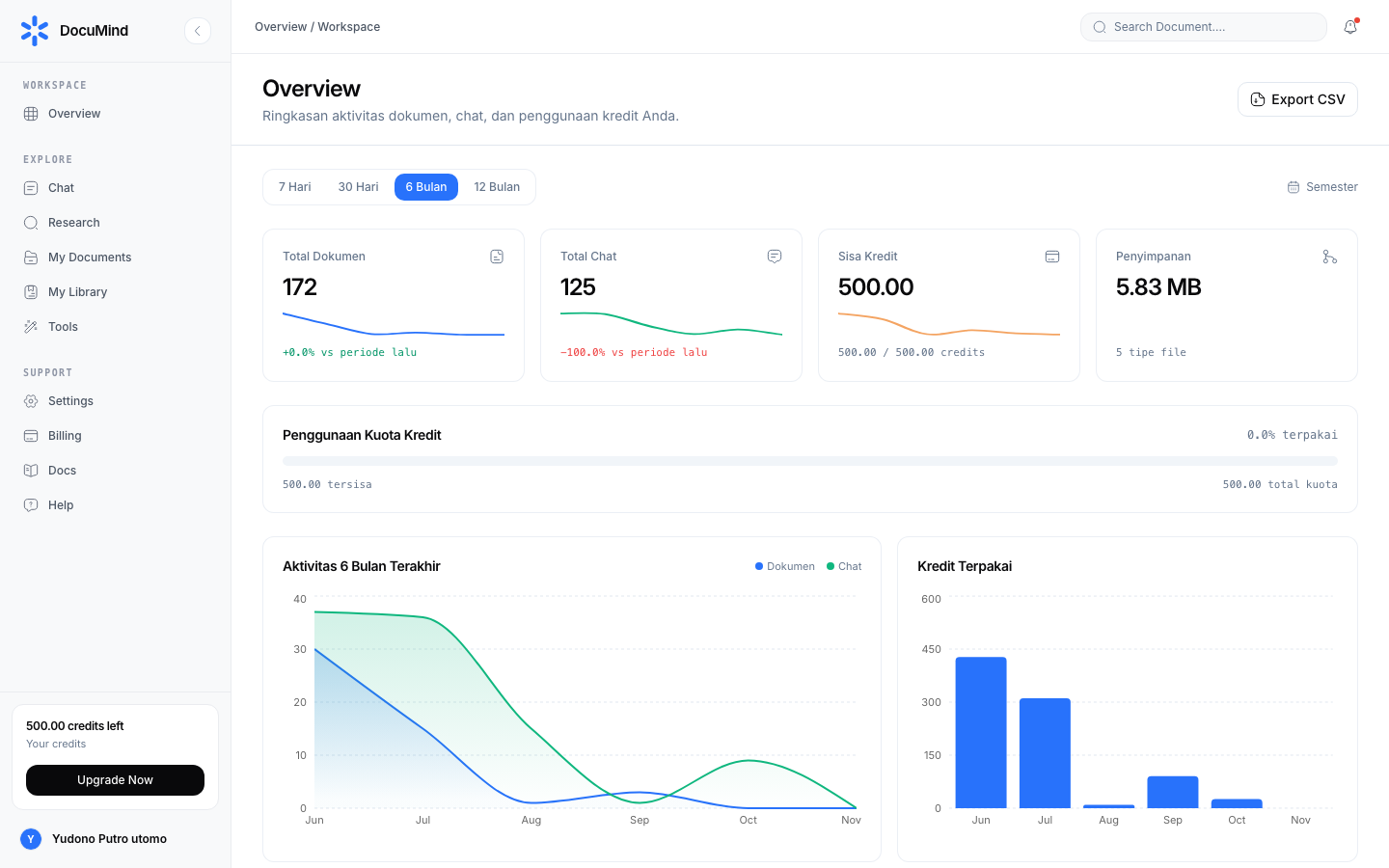
App URL: https://www.documind.id
Docs URL: https://www.documind.id/en/docs (public) and /dashboard/docs (inside the dashboard)
How to Read These Docs
Read from general to specific:
- This page (Overview) for the big picture.
- Authentication to create an account and sign in.
- Dashboard as your daily control center.
- Pick your main workflow: AI Chat (document Q&A with document, table, and slide previews), Research + Find Journal (journal research), or Library (file management).
- Save key sources in My Library, speed up routine work with Tools (each with its own guide, e.g. Merge PDF, Compress Image, Word Counter), and track usage in Billing.
Every guide is listed in the left sidebar (Getting Started, Core Concepts, Tools, plus 9 tool-category groups) and searchable via Search docs… or ⌘K.
Three Capability Layers
| Layer | Contains | Cost | Use when |
|---|---|---|---|
| Tools (deterministic utilities) | 152 free tools: image, PDF, text, developer, CSV, SEO, document, archive, utilities | Free | Routine work: convert, count, format, validate |
| AI Chat & Research (reasoning) | AI Chat (incl. document, data-grid, and slide previews), Research, Find Journal | AI credits | Reasoning: summarize, answer, compare, deep research, draft |
| Library (archive & memory) | Library, My Library | Free (fair use) | Storing files, generated outputs, research sources |
Rule of thumb: deterministic → Tools; reasoning → AI Chat/Research; archiving → Library.
Quick Start (7 Steps)
- Sign up / Sign in — email or Google OAuth. Details: Authentication.
- Meet the Dashboard — stats, global search, sidebar. See Dashboard.
- Chat with a document — upload one PDF, ask questions, click
[D1]citations to verify. Ask AI to draft — results render as document, table, or slide previews you can revise in follow-up chat. See AI Chat. - Research journals — search papers in Find Journal, run multi-step research in Research, save sources to My Library.
- Manage documents — filter by type, create folders, full-height preview, download, delete (always with confirmation). See Library.
- Speed up routine tasks — 152 one-click utilities, each with its own guide. Start at Tools: Merge PDF, Split PDF, Compress Image, Word Counter, JSON Formatter, Meta Tag Generator.
- Track credits — model calls spend credits; standard tools do not. See Billing, manage your profile in Account, and meet the public page in Landing Page.
Guide Modules
| Module | Covers |
|---|---|
| Authentication | Sign up, sign in, forgot/reset password, Continue with Google |
| Dashboard | Overview stats, global search, tools directory, connector, profile, settings, support, help |
| AI Chat | Chat page, agent task detail, document/table/slide drafts from chat |
| Research | Multi-step research workspace + DOI-cited result pages |
| Find Journal | Search millions of papers, year filters, sorting, save to library |
| Library (My Documents) | Views & filters, folders, uploads, per-type detail, new-document editors |
| My Library | Full-content saved sources, year filter, 6 sorts, source detail |
| Tools | 152-tool directory + 1 guide per tool (Image, PDF, Text, Developer, CSV, SEO, Document, Archive, Utilities) |
| Account & Billing | Profile, credits, usage history, top-ups |
| Landing Page | Public marketing page: hero, features, pricing, testimonials, FAQ |
Data Security
- Documents are encrypted (at rest & in transit) and never used to train public models.
- Every AI answer carries page citations (
[D1],[D2]) you can click to verify. - Every delete action asks for a confirmation dialog first.
- Standard tools (convert/count/format) run client-side in the browser — files never transit servers during core processing.
Documentation FAQ
I am new — where do I start? Follow the 7 steps above in order. First read + practice takes about 30–45 minutes.
Are the free tools really free? Yes. All 152 tools in Tools are free within fair use with no credit deductions. Credits are only spent on AI model calls (chat and research).
How do I search the docs?
Click Search docs… (or press ⌘K), type keywords (e.g. merge pdf, citation, credits), and pick a result. All 170+ pages are indexed.
Is there an Indonesian version?
Yes — switch to /docs/<slug>, e.g. https://www.documind.id/docs/dashboard. Structure mirrors the English version.
Where do I ask what the guides do not answer? Open Dashboard → Support to contact the team, or Help for FAQ and troubleshooting.
Important Links
- Overview · Authentication · Account · Billing · Landing Page
- Dashboard · AI Chat · Research · Find Journal
- Library · My Library · Tools
Keywords: documind documentation, documind guide, document ai chat tutorial, ai journal research, free pdf image tools.