Find Journal
Search millions of academic papers (OpenAlex, Crossref, arXiv, Semantic Scholar), filter years, sort by relevance/citations, and save to the library with full content. Your manual precision search engine — complementing Research.
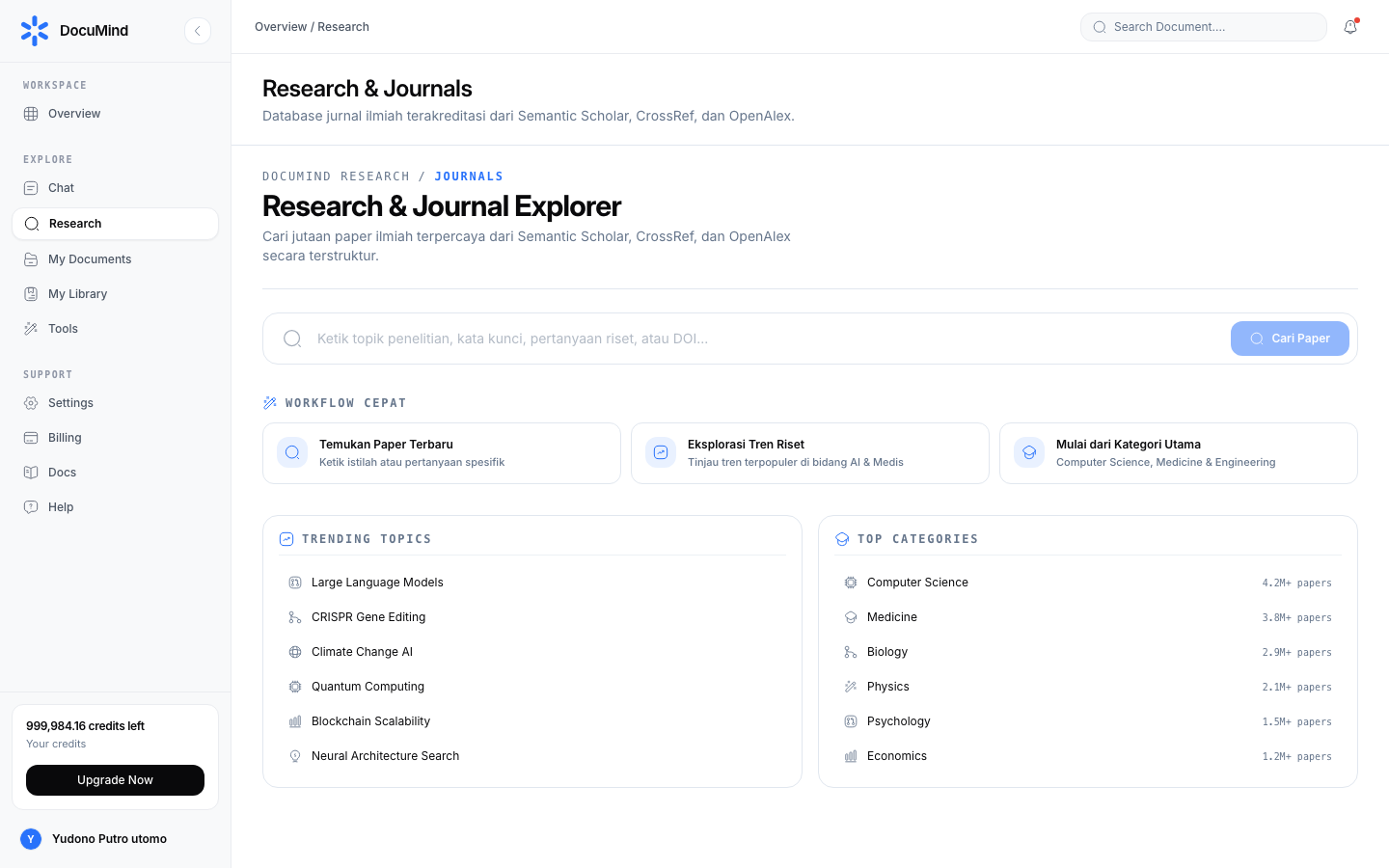
URL: https://www.documind.id/dashboard/research (Find Journal tab)
Quick Summary
| Aspect | Details |
|---|---|
| Page | /dashboard/research, Find Journal tab |
| Coverage | OpenAlex, Crossref, arXiv, EuropePMC, OpenAIRE, DataCite, DOAJ, Semantic Scholar, Scholarly |
| Filters | Years: 2026, 2025, 2024, 2023, before 2023 |
| Sorts | Relevance / Most cited / Newest |
| Actions | Open detail, save to My Library |
Search Page Parts
- Keyword field — type topics/titles/authors (e.g.
large language models). English terms maximize coverage; combine synonyms ("LLM", "large language models"). - Year filter — 2026, 2025, 2024, 2023, or before 2023. Lock the last 2–3 years for state-of-the-art; open all years for theoretical foundations.
- Sort options — Relevance (start exploring), Most cited (find influential works), Newest (track developments).
- Result cards — title, authors, year, venue, citation count, index-source badge, open-access PDF indicator.
- Trending topics — popular topic cards (Large Language Models, CRISPR, Climate Change AI, Quantum Computing) — one click to search, good for warm-up exploration.
Paper Detail Page
Click a result to open detail:
- Identity — title, authors, venue, year, DOI (click through to publisher).
- Abstract — read fully for selection; never judge by title alone.
- Metrics — citation counts and index source (openalex / crossref / arxiv / europepmc / openaire / datacite / doaj / semantic_scholar / scholarly).
- PDF access — open-access PDF link when available; download to read in Library or attach to AI Chat.
- Save button — paper lands in My Library as a SavedSource with full content (snippet + metadata, never truncated).
Standard steps:
- Type keywords in the search field.
- Apply the year filter for your need.
- Sort results (Relevance → explore; Citations → foundations; Newest → updates).
- Open 5–10 candidates, read abstracts, save the relevant ones.
- Bring the best to chat ("contrast these three papers' methods in a table") or into a research report.
Real-World Flows
Thesis foundations (1 hr): search 3 derivative keywords → sort most-cited → save 6 foundation papers → search again sorted newest → save 4 updates → 10 tidy sources in the library → request a comparison table in chat.
PDF availability check (15 min): search the exact title → open detail → follow the open-access link → download → upload to Library for chatting.
Keyword Tips
- Start broad, narrow gradually: "machine learning" → "machine learning dropout prediction" → add years.
- Vary terms: abbreviations vs spelled-out, US vs UK spelling.
- Search key authors + topics to find productive research groups.
- Save now, read later — screening 10 abstracts (15 min) beats reading 1 full paper that turns out irrelevant.
- Record the DOI of every cited source; verify via the publisher link before bibliography entry.
Index-Source Table
| Index | Strength |
|---|---|
| OpenAlex | Broad cross-discipline coverage + citations |
| Crossref | Tidy publisher DOI metadata |
| arXiv | Fastest preprints (physics, CS, math) |
| Semantic Scholar | Citation graph + recommendations |
| EuropePMC / OpenAIRE / DOAJ | Biomedical, open science, OA journals |
| DataCite / Scholarly | Datasets and general scholarship |
Find Journal FAQ
Are all papers free to read fully? No — open ones show open-access PDF links; the rest expose metadata + abstracts (still useful for selection).
Difference vs Research? Find Journal = manual precision search; Research = an agent that synthesizes a report automatically.
Where do saved results go? To My Library as full-content SavedSources, attachable to chat.
How do I pick a sort? Early exploration → Relevance; key works → Most cited; trend updates → Newest.
Can I search by exact DOI/title? Yes — paste an exact DOI or title to jump to a specific entry fast.
Important Links
- Overview · Authentication · Account · Billing · Landing Page
- Dashboard · AI Chat · Research · Find Journal
- Library · My Library · Tools
Keywords: find journal, search international journals, openalex, crossref, arxiv, paper citations, thesis literature.